


Monotype
Font pairing
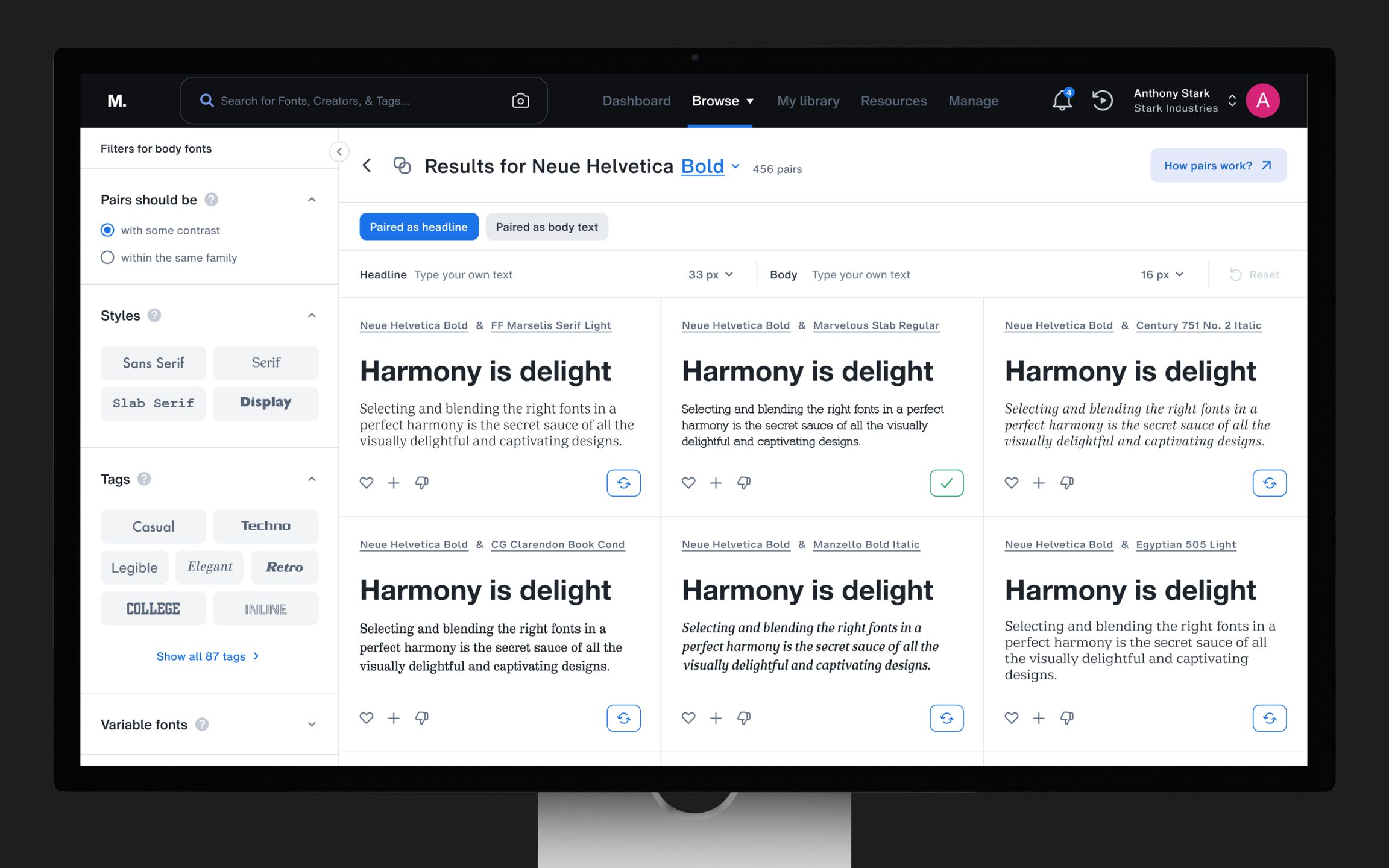
Brought font pairing into Monotype Fonts, so people could find fonts that worked together, test them in their own words and keep them as a pair.
MY ROLE
Lead product designer
- UX strategy
- Research brief
- Problem definition
- UX metrics
OFFICIAL RESULT
After launch in May 2024
01
The course
Background and objective
Finding the right fonts was a core need for most designers, and so was finding fonts that worked well together. We kept hearing it in market research and user interviews.
Many people lacked the expertise to pair fonts, and those who had it were short on time. The pairs available online were limited to a few curated lists, and pairing generators often missed the mark. As font experts, we set out to solve it at scale.
THE PROOF OF CONCEPT
By late 2022 our team had built an algorithm that suggested fonts that worked well together. We tested it on a microsite: with no promotion it reached about 15K monthly active users, and it received an Honorable Mention in Fast Company's 2024 Innovation by Design Awards. The algorithm was validated. Now we had to bring pair search and discovery to our actual users. See the microsite ↗
THE OBJECTIVE
Integrate font pairing into the Monotype Fonts platform, so users could discover harmonious font combinations.
02
Race strategy
A 14-week plan, research and the problem
After the initial discovery sessions, I set up a 14-week plan with the product manager, from problem definition through solution to design delivery.
THE RESEARCH
Then 45 Monotype Fonts users answered an in-product survey that checked what we heard:
WHAT WE HEARD
- 01People started from a font they'd already picked, and looked for what paired with it.
- 02Everyone wanted to test a pair visually before deciding on it.
- 03They wanted contrasting pairs, and pairs from within the same family too.
- 04Most didn't know font pairing websites or generators existed.
How could we…
03
The splits
Five decisions, in order
Each decision answered one of the four questions: find pairs, start from your own font, test them, and keep them.
SPLIT A / DISCOVERY
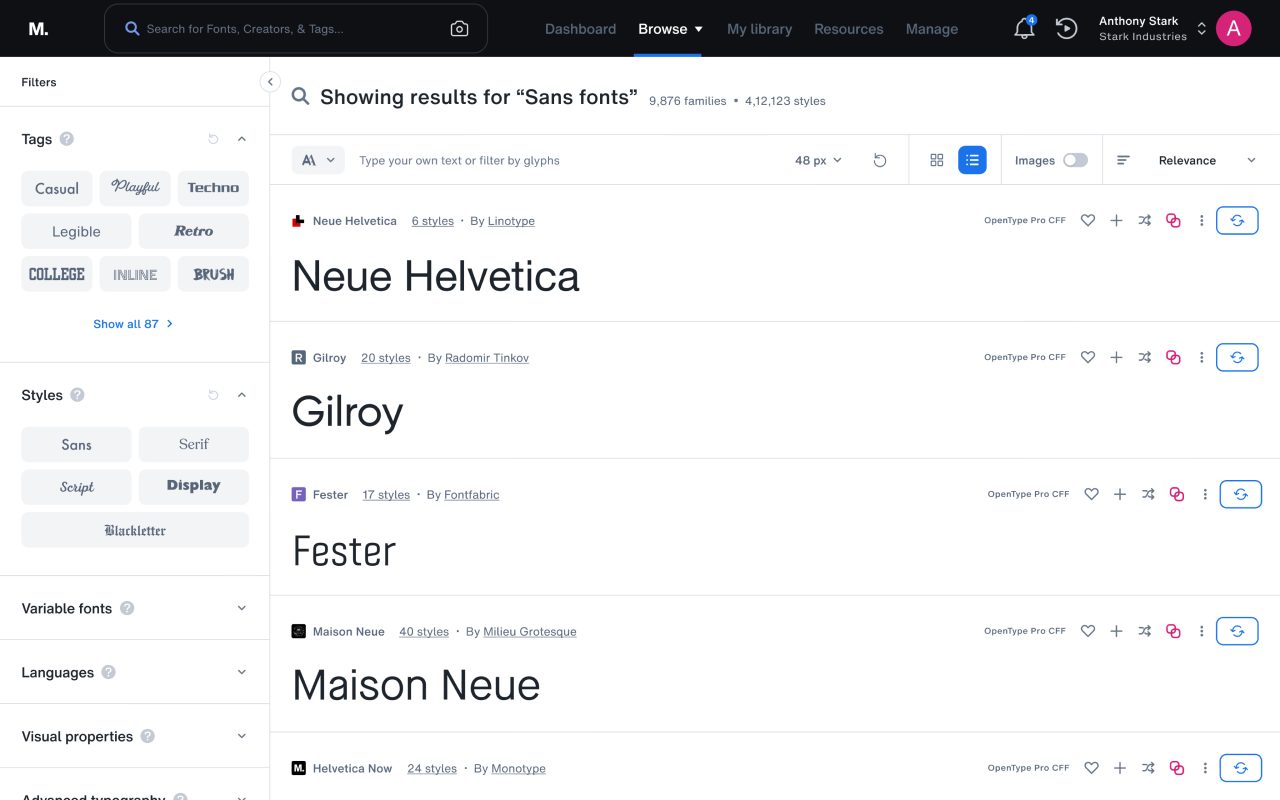
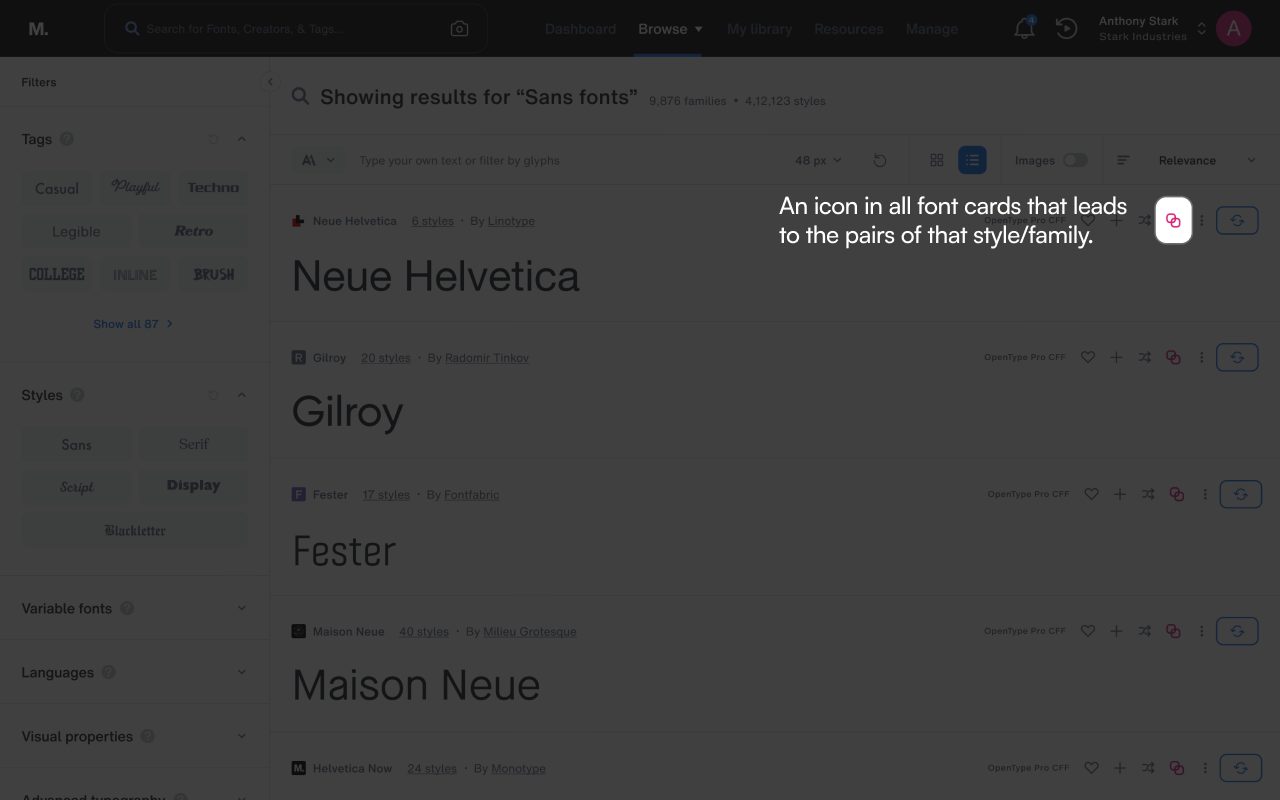
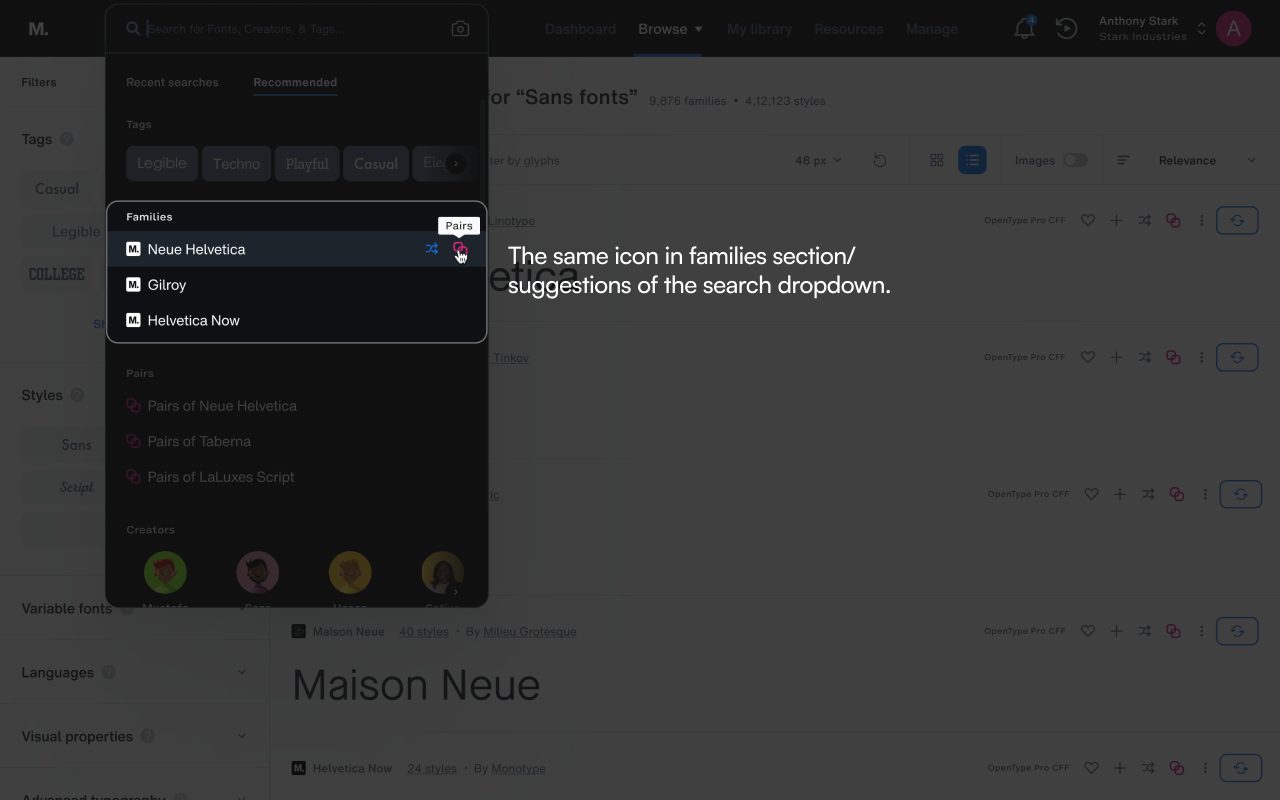
A pair icon on every font
Every font card in Monotype Fonts, and every family in the search dropdown, got the same pair icon. One click showed the pairs for that style or family.
SPLIT B / DISCOVERY
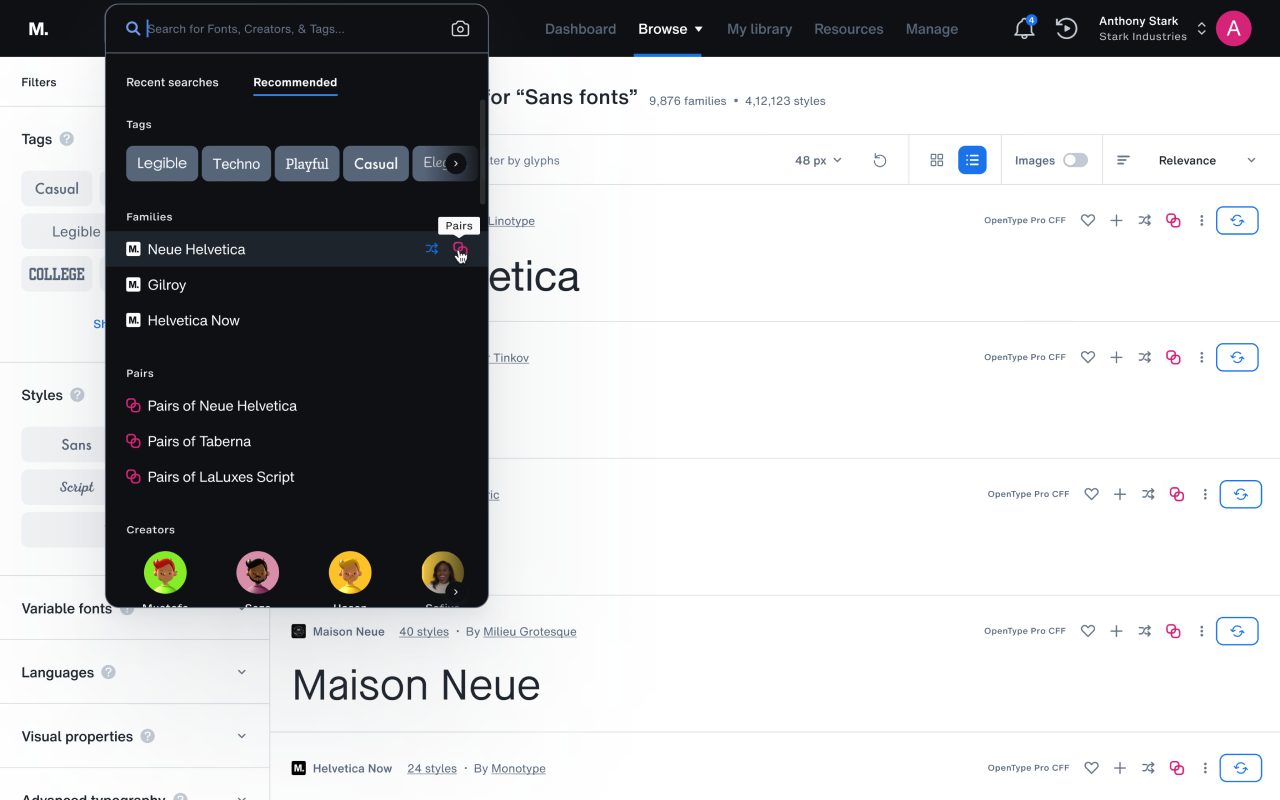
Pairs right in search
A pairs section in the search dropdown recommended pairs based on what people typed, so they found them without knowing pairing existed.
SPLIT C / RESULTS
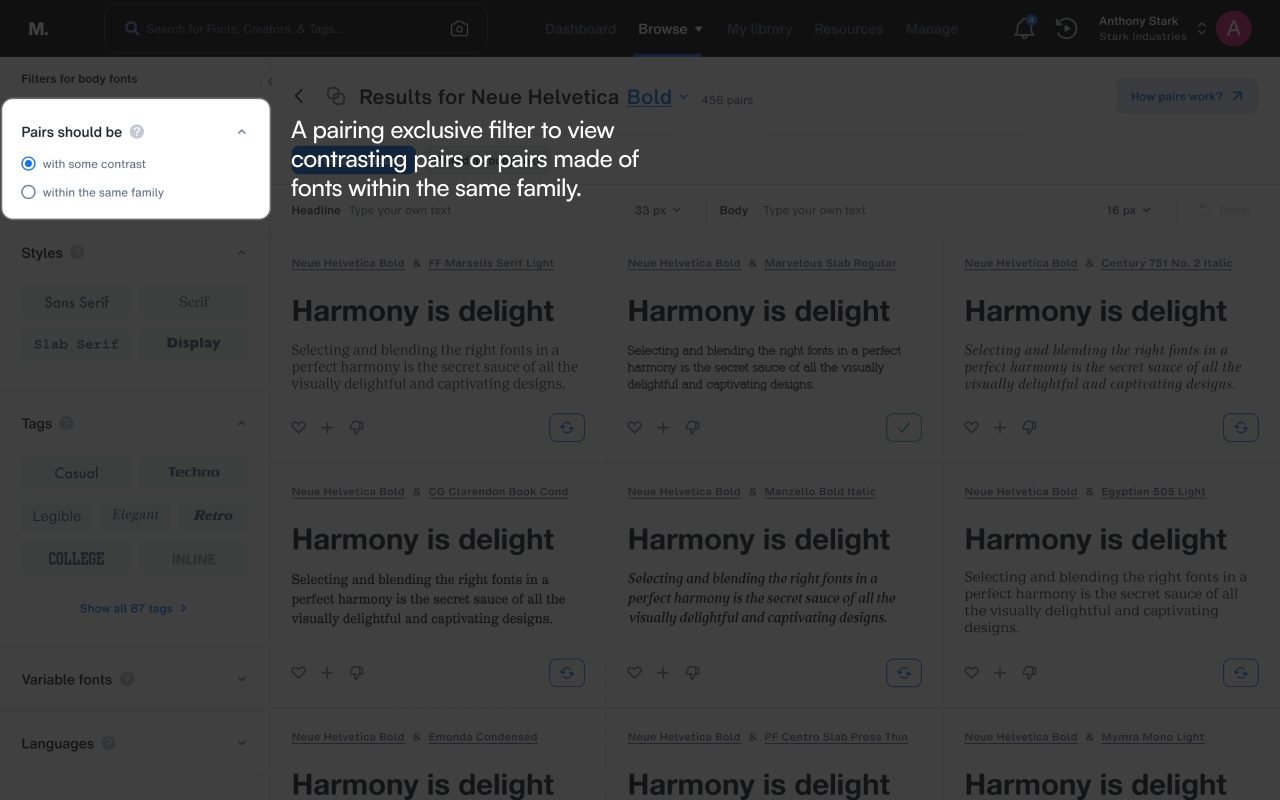
Contrast, or the same family
A filter made just for pairing let people see pairs with some contrast, or pairs made from fonts within the same family.
SPLIT D / RESULTS
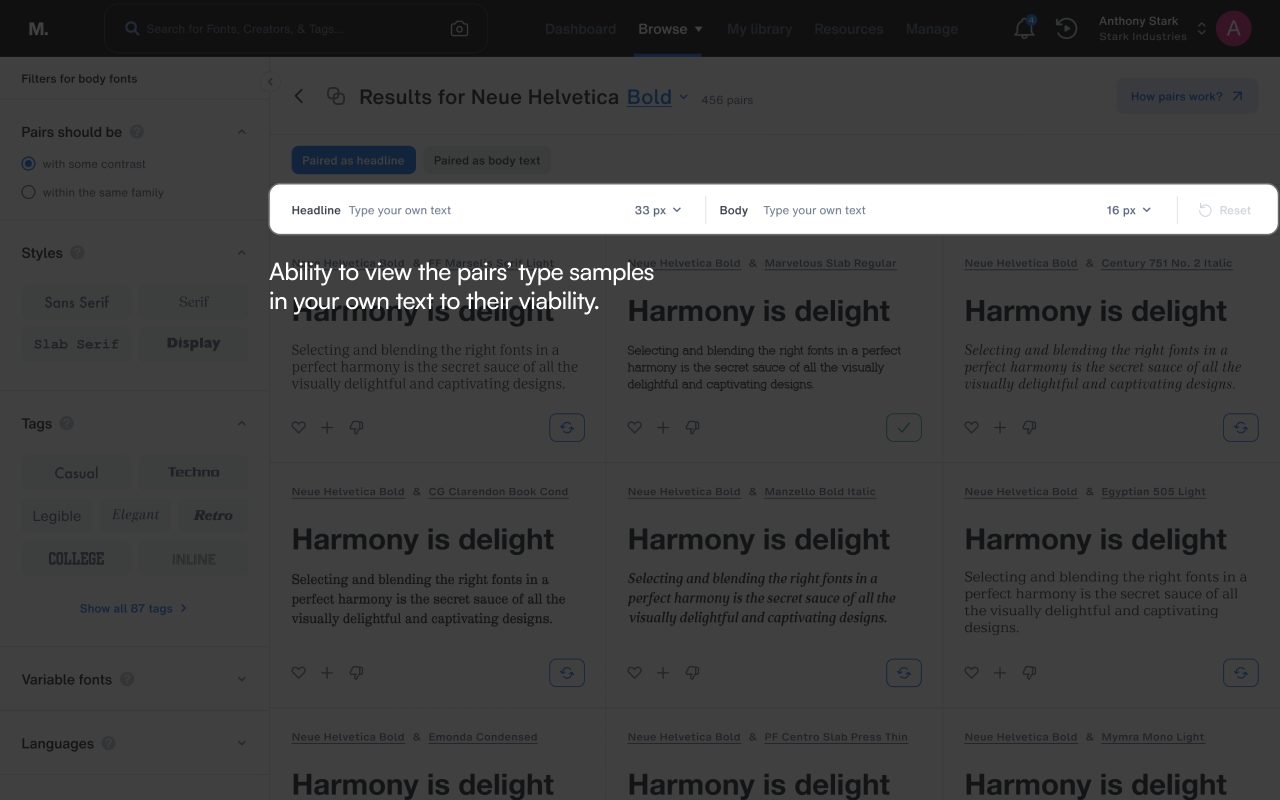
Test it in your own words
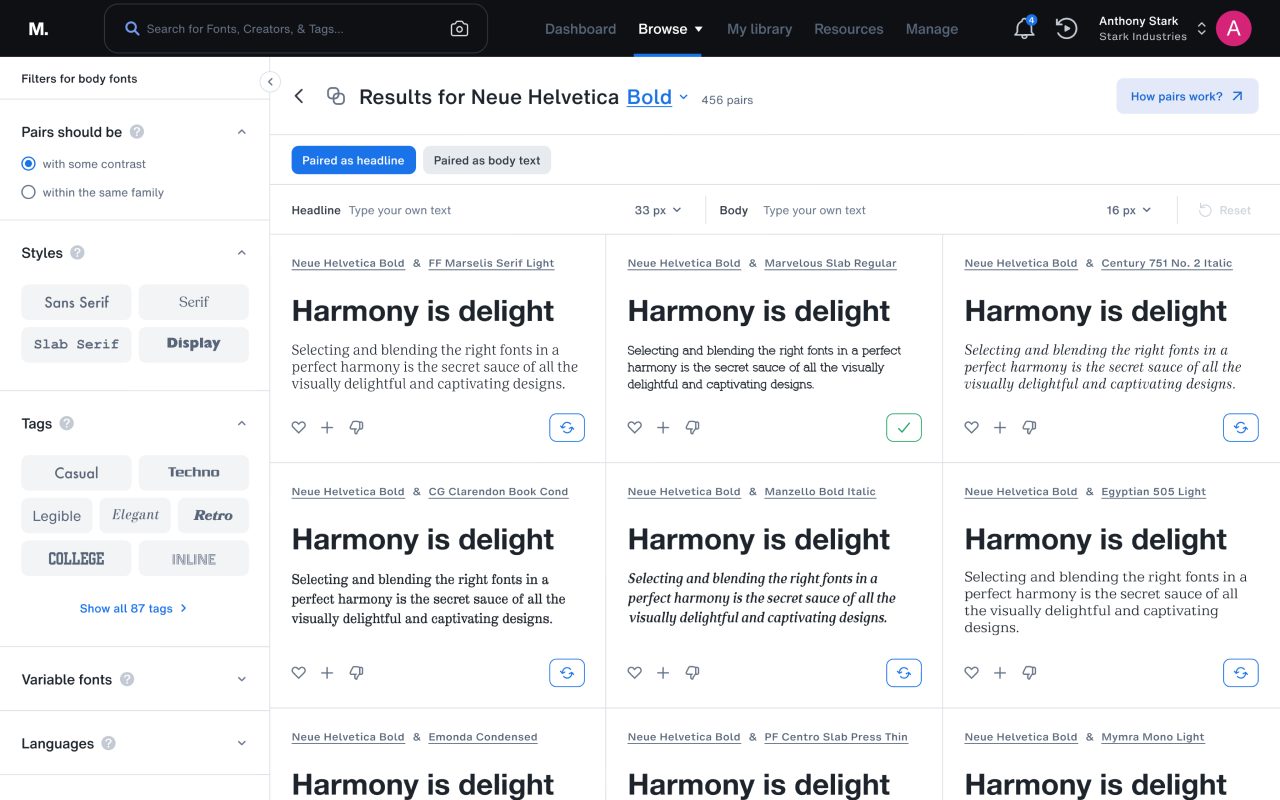
People could view the pairs for a style as a headline or as body text, and preview them in their own text and sizes to judge whether a pair worked.
SPLIT E / USAGE
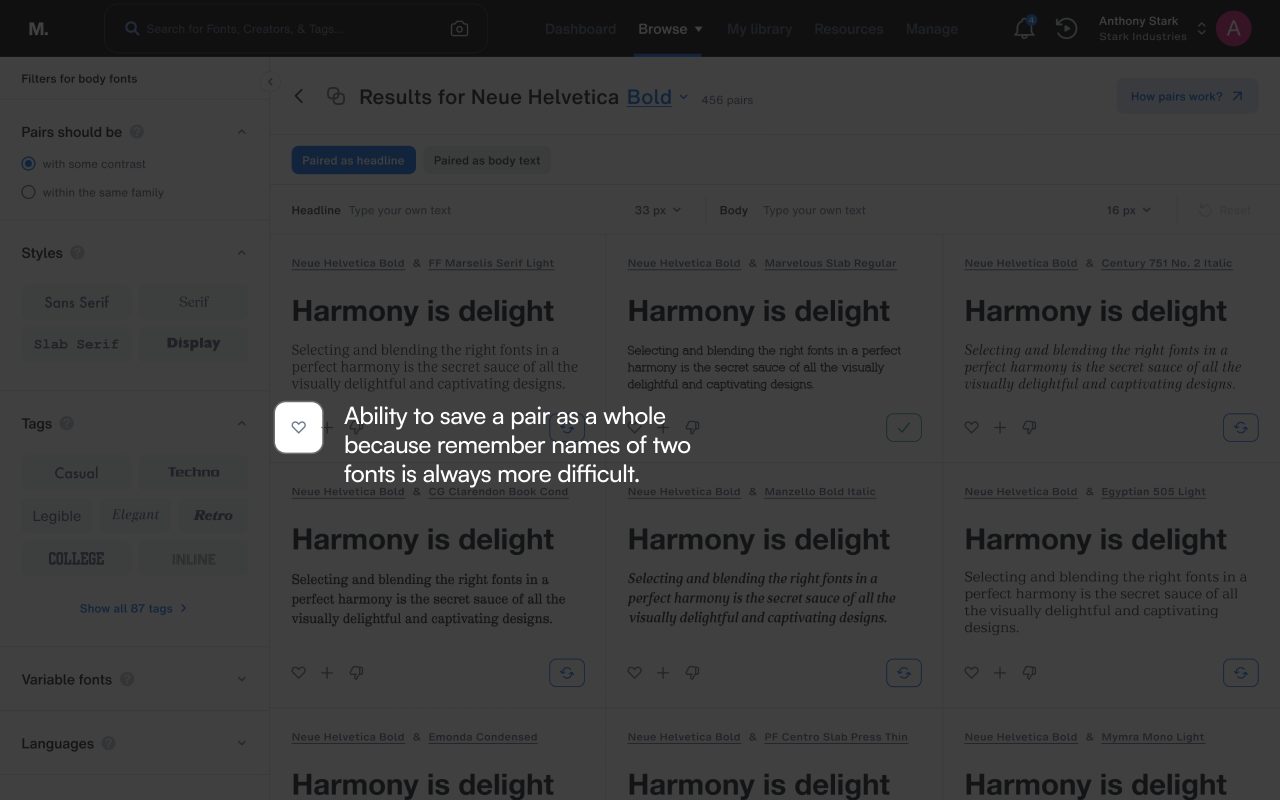
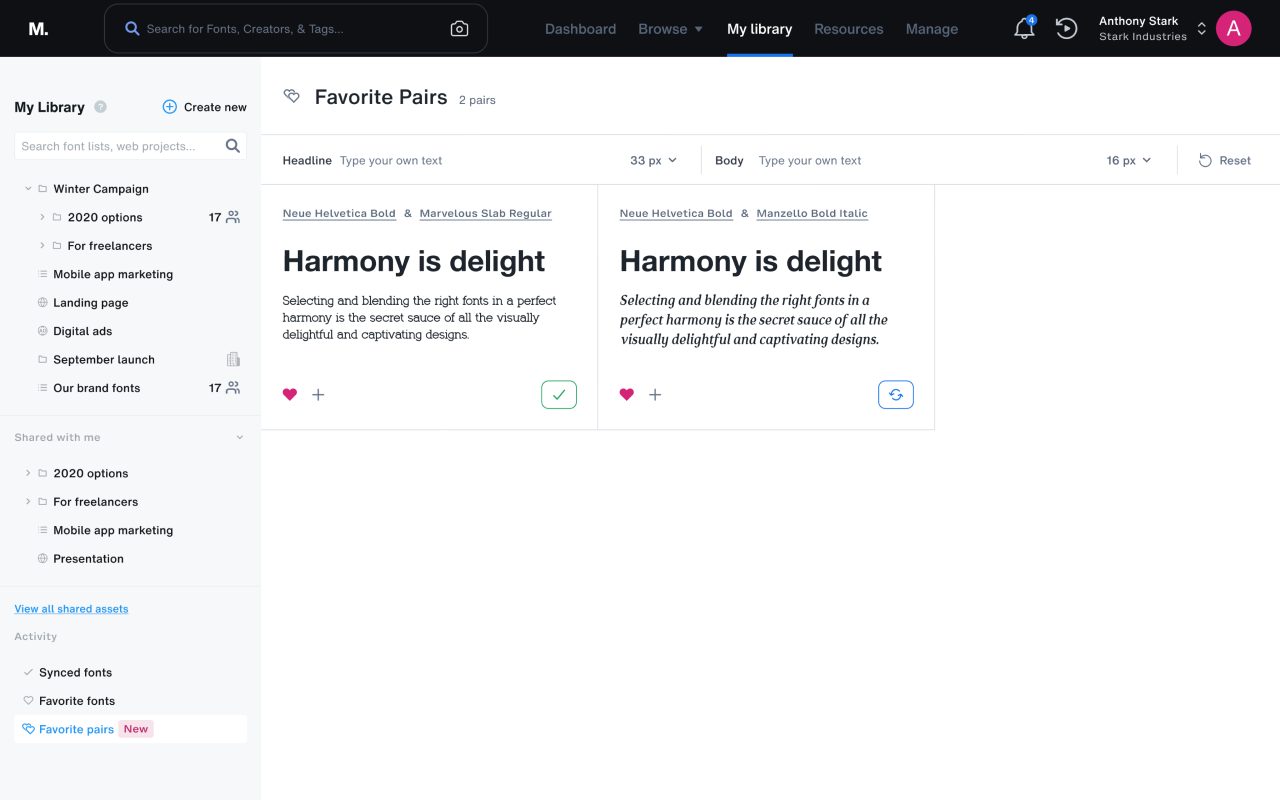
Save the pair, not two names
People could save a pair as a whole, because remembering the names of two fonts is always harder than one.
04
The wall
The hardest stretch
The hardest part wasn’t a design problem. It was convincing product and engineering to meet designers where they already worked.
I wanted a saved pair to sync with our extensions in Adobe apps and Figma, so a pair saved on Monotype Fonts would show up right inside the tools designers use every day. The team didn’t want to build saving at all, let alone the sync.
We settled on saving pairs as a list within the platform. It was less than I pushed for, but it meant designers could keep a pair as a pair, not two font names to remember.
05
The finish
What changed
Pairing went live in May 2024 and quickly earned its place in search: 12.72% of search conversions started coming through it.
It also reached a 10.37% adoption rate and a 24.61% task success rate. Not bad for a feature most of our users didn’t know they were looking for.
If I ran it again, I’d bring numbers to the saving debate earlier. Showing how often designers came back to the same pair could have made the case for syncing pairs with our Adobe and Figma extensions.